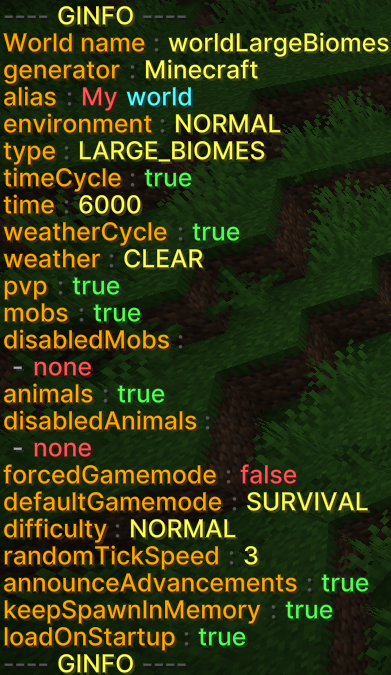
# /ginfo - Informationen about a world
Sometimes it can be helpful to see all the information and settings for a world at a glance.
The command `/ginfo` is available for this purpose.
## The command in detail
`/ginfo [name]`
### Parameters explained
1. **Name (optional):** The name of the world
- If the name is left blank, the user's current world will be selected.
---
## Screenshot from the game
[](https://books.gilljan.de/uploads/images/gallery/2026-02/scaled-1680-/PelxHlU4gQOOIAGn-ginfo-en.png)
---
## Examples
### 1. Information about the current world
Get information about the current world:
```bash
/ginfo
```
### 2. Information about another world
Get information about the world “MyWorld”:
```bash
/ginfo MyWorld
```